

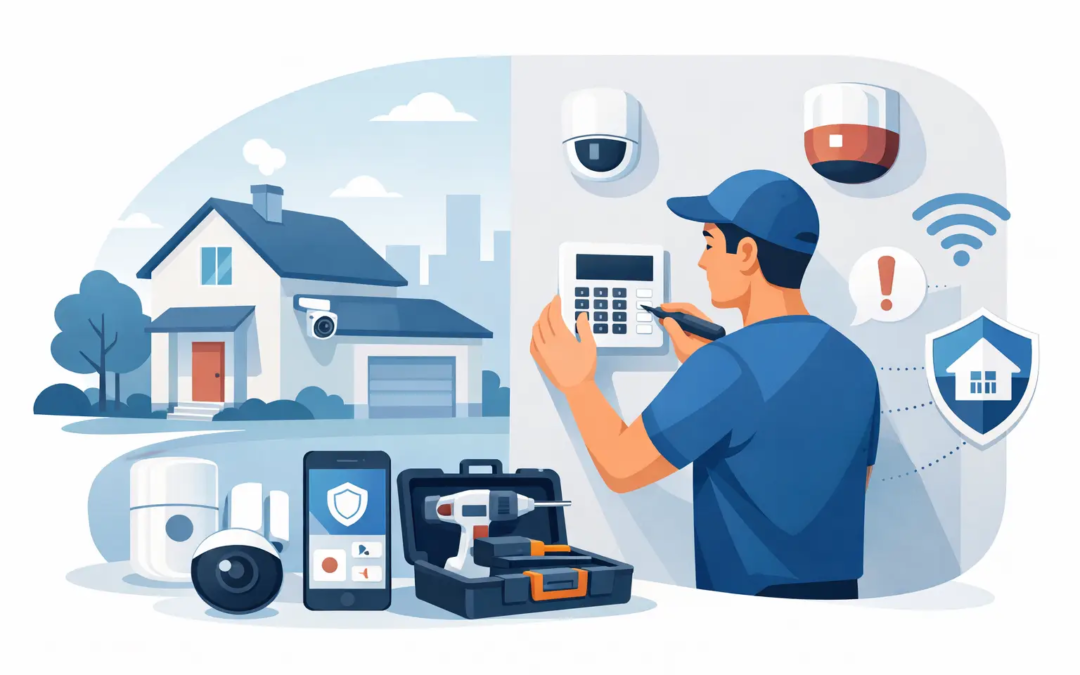
A security system is most useful when it fits the way your household actually lives. An alarm installation guide for homeowners should not start with a pile of equipment or technical terms. It should start with the doors you use, the rooms that hold valuables, the people and pets who move through the house, and the level of support you want if an alarm goes off.
For many homes, a straightforward system with properly placed sensors and a clear plan for daily use provides better protection than a complicated setup that no one understands. Use this guide to make practical decisions before installation, whether you choose a DIY wireless kit or professional help.
Start With the Risks Around Your Home
Walk around your property before buying equipment or placing a single sensor. Look at the main entry door, back door, garage entry, first-floor windows, sliding doors, and any basement access. These are common entry points and should guide your priorities.
Then consider what happens inside. A motion detector can cover a central hallway, living room, or other area a person is likely to cross after entering. Door and window contacts are more precise: they alert you when a protected opening is opened. In many homes, contacts on exterior doors combined with one or two well-placed motion sensors are a sensible starting point.
Your layout matters more than the size of the equipment package. A small house with several accessible doors may need more contact sensors than a larger home with limited entry points. A home with pets, children, or frequent visitors may benefit from settings that reduce accidental alarms and make arming the system easier.
Choose an Alarm System That Matches Your Needs
Most homeowners choose between a wireless system and a hardwired system. Wireless systems are usually easier to install, move, and expand. They are a practical fit for renters, newer installations, and homes where running cable through walls would be disruptive.
Hardwired systems can be a good choice when a home already has compatible wiring or when you are completing major construction. They may require more labor and are generally best installed or upgraded by a qualified security professional. If an existing alarm panel is in place, ask whether it can be reused before replacing everything.
Also decide how you want alerts handled. A self-monitored system sends notifications to your phone, while professionally monitored service can contact emergency responders based on the plan and alarm type. Self-monitoring may cost less, but it depends on you seeing the alert and responding quickly. Professional monitoring adds an ongoing expense, yet it can be valuable when you are asleep, traveling, at work, or unable to check your phone.
Do not assume every add-on is necessary. Cameras, smart locks, video doorbells, smoke detectors, carbon monoxide detectors, and flood sensors can add useful coverage, but the best first step is securing the most likely entry points. Build from there based on real needs and budget.
Alarm Installation Guide for Homeowners: Plan Sensor Placement
Good placement is the difference between a system that helps and one that creates frustration. Start by drawing a simple sketch of the home. Mark every exterior door, accessible window, interior garage door, and the locations of the control panel, hub, keypad, and siren.
Door and window contact sensors need two pieces: one on the frame and one on the moving door or window. When the opening closes, the pieces should align closely. Follow the spacing guidance supplied with your equipment. Before permanently mounting anything, hold the pieces in position and confirm that the system recognizes the opening as closed.
Place contacts on doors that lead outside, including a door from an attached garage into the home. Ground-level windows deserve attention, especially those hidden by fences, shrubs, or a side yard. You may not need a contact on every upstairs window if access is difficult, but that decision depends on your home’s design and nearby structures.
Motion detectors should look across a path of travel rather than directly toward a door or window. This increases the chance that movement crosses the sensor’s field of view. Mount them at the height recommended by the manufacturer, usually in a corner with a broad view of the room.
Avoid placing motion detectors where direct sunlight, heating vents, fireplaces, moving curtains, or pets can create false alarms. Pet-friendly sensors can help, but they are not a guarantee if a large dog jumps on furniture near the detector. Test the location with your household’s normal activity before relying on it.
The main hub or control panel should be easy for household members to reach but not plainly visible from outside. A location near a commonly used entrance often makes sense. If the system relies on Wi-Fi, check signal strength there. Weak connectivity can lead to delayed alerts or devices that drop offline.
Install in a Simple, Controlled Order
Installing one device at a time makes troubleshooting much easier. Set up the hub first, connect it to power and your home network if required, and complete any app-based registration. Use a strong, unique password for the account and turn on two-factor authentication when available.
Next, add and name sensors by location, not by a generic number. “Kitchen back door” and “Upstairs hall motion” are much clearer than “Sensor 4” when an alert appears at 2 a.m. Make sure every person who needs access knows how to arm, disarm, and identify an alarm notification.
For adhesive-mounted sensors, clean and dry the surface before applying the mounting strip. Give the adhesive time to set according to the product instructions. Screws may offer a more secure installation on uneven or high-use surfaces, but take care around glass, electrical wiring, and door hardware.
If you are installing a wired alarm, adding electrical connections, or mounting equipment where you are unsure what is behind the wall, stop and get professional help. Saving a little time is not worth damaging wiring, compromising a fire-rated door, or creating an unreliable system.
Test Before You Depend on It
A system is not finished when the app says every device is connected. Test each contact by opening the protected door or window. Walk through the motion detector’s coverage area. Trigger the alarm only after warning everyone in the home, and make sure you know how to cancel it promptly.
If you use professional monitoring, follow the provider’s test procedure. This may involve placing the account in test mode before triggering the system. Confirm that notifications arrive on the phones that should receive them and that cellular backup works if your system includes it.
Testing also reveals small problems that become big ones later. A sensor may be slightly out of alignment, a keypad may be too far from the door people use, or a motion detector may react to the family dog. Fix these issues while the installation is fresh rather than adapting your routine around a poor setup.
Build Habits That Prevent False Alarms
The easiest security system to use is one everyone understands. Agree on a short routine for leaving and coming home. Check that doors and windows are closed before arming, keep key fobs or codes limited to trusted people, and make sure children know not to press emergency buttons unless there is a real emergency.
Use separate user codes when your system allows it. This helps you remove access for a former roommate, contractor, cleaner, or house sitter without changing a single shared code for everyone. Avoid using obvious numbers such as birthdays, addresses, or simple repeating digits.
Battery maintenance matters, especially with wireless sensors. Replace low batteries promptly and keep a record of the sensor types your system uses. Test the system after a long power outage, home network change, renovation, or furniture rearrangement that affects a motion detector’s view.
When Professional Installation Is the Better Choice
DIY installation is often a good fit for a basic wireless alarm in a straightforward home. Professional installation may be worth it if your property has multiple levels, detached buildings, existing wired equipment, unreliable Wi-Fi, many access points, or a mix of intrusion and life-safety devices.
It is also a sensible choice when you want someone to assess coverage without guessing. A knowledgeable installer can identify blind spots, recommend practical placements, confirm equipment operation, and show your household how to use the system. Simple Security Solutions approaches this work with the goal of making protection clear, not making the system harder to manage.
Your alarm should support your daily life, not interrupt it. Start with the entry points that matter most, install carefully, and test every part of the system. Once it becomes a familiar part of leaving home and settling in for the night, the real benefit is simple: more confidence that your home is being watched over when you cannot watch it yourself.