

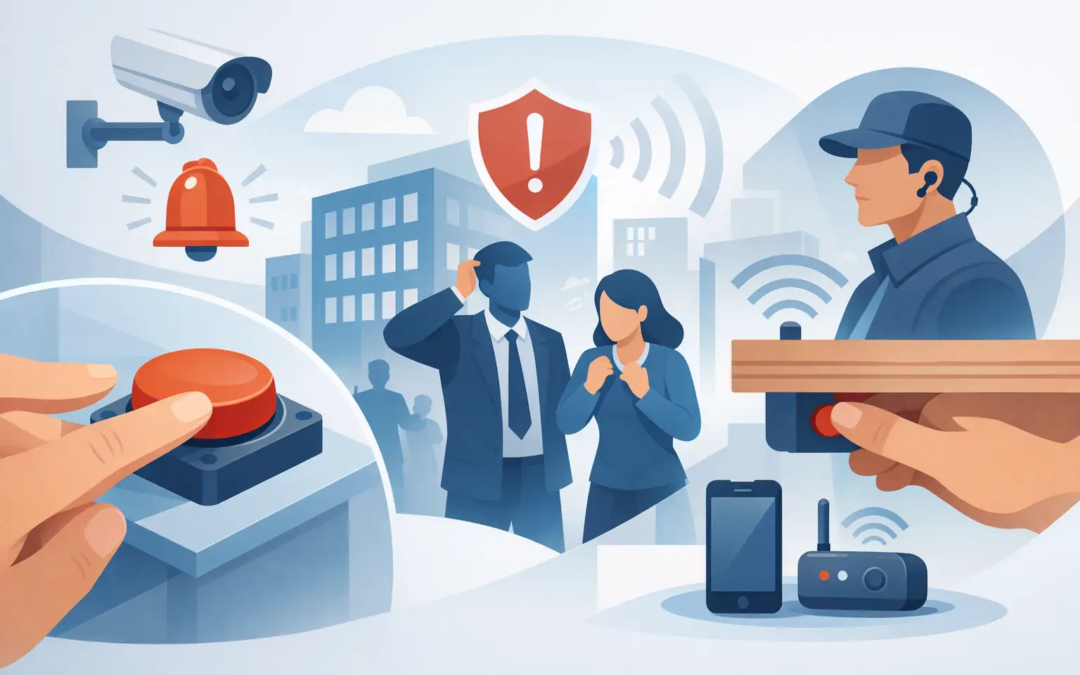
A panic button is not something most business owners want to think about until a front-desk employee feels threatened, a worker is alone in a back office, or a customer situation turns unsafe. The best panic buttons for businesses make it easy to call for help without creating a scene or requiring someone to find a phone under pressure.
For a small business, the right choice is usually not the system with the longest feature list. It is the one your staff can use immediately, your security provider can support, and your business can maintain without adding unnecessary complexity. Here is how to compare the practical options.
What Makes a Panic Button a Good Business Choice?
A good panic button has one job: let a person request help quickly and reliably. That sounds simple, but the right setup depends on where the button is located, who may need it, and what should happen after it is pressed.
Start with the response. Some panic buttons trigger an audible alarm inside the building. Others send a silent signal to a monitoring center, designated managers, or emergency contacts. A monitored system can be a strong fit for businesses where a quiet response is safer, such as retail stores, reception areas, medical offices, property management offices, and workplaces that handle cash or sensitive conversations.
Reliability matters more than extra features. The button should have dependable power, a clear signal path to the security system, and regular testing. It should also be positioned where employees can reach it naturally, without making it obvious to customers or visitors.
Best Panic Buttons for Businesses by Need
There is no single best device for every workplace. Most small businesses are best served by one of four common approaches, sometimes used together.
Fixed under-counter or desk panic buttons
A fixed button installed under a counter, desk, or reception area is one of the most practical choices for businesses with a consistent employee location. It is discreet, easy to reach, and does not need to be carried from one shift to another.
This option works well for cashiers, receptionists, leasing offices, and staff who regularly meet the public. The key is placement. A button that is too far under a desk may be difficult to find in a stressful moment, while one placed in plain sight may draw unwanted attention. Staff should be able to press it while remaining in their normal position.
Fixed buttons can be wired into a security panel or connected wirelessly. Wired devices avoid battery replacement, but installation may require more planning. Wireless models are often easier to add in an existing space, provided the signal is reliable where the button will be used.
Wireless wall-mounted panic buttons
Wall-mounted wireless buttons are a simple option for areas where people move around but may still need help quickly. Common locations include stockrooms, employee entrances, consultation rooms, break rooms, and hallways near an exit.
They are often a sensible choice for businesses that need more than one protection point without running new wiring throughout the building. They can also be useful in locations where a desk-mounted button does not make sense.
The trade-off is visibility and access. A wall button needs to be easy for employees to find, but not so exposed that customers can press it accidentally. It should be included in employee training, especially for new hires and staff who work occasional shifts.
Wearable panic buttons
Wearable devices, such as pendants, key fobs, or clip-on buttons, are a good fit when employees work alone or move through a property. They are commonly used by property managers, maintenance staff, cleaners, healthcare workers, and employees who open or close a business by themselves.
The biggest advantage is that protection stays with the person rather than the building. A staff member does not need to reach a front counter or a wall-mounted device during an urgent situation.
Wearables do require consistent habits. Someone has to carry the device, keep it charged or replace its battery when needed, and return it at the end of a shift if it is shared. For that reason, wearable buttons work best when a manager clearly assigns responsibility for them.
Mobile panic button apps
Some security systems offer a mobile app that allows an employee to request help from a smartphone. This can add flexibility for managers, real estate professionals, field workers, and employees who work away from the main business location.
An app should usually be an added layer, not the only panic option inside a fixed workplace. A phone may be out of reach, uncharged, or unavailable when it is needed. Apps also depend on cell service or internet access, which can vary by location.
For many small businesses, a physical button at key workstations plus a mobile option for mobile employees provides better coverage than relying on either one alone.
Choose the Right Response Before You Choose the Device
The best button is only as useful as the response plan behind it. Before choosing equipment, decide who should receive an alert and what they should do next.
For some businesses, the right response is a silent signal to a professional monitoring center that can follow the established emergency protocol. For others, a local alert to an on-site manager may be useful for lower-level concerns, such as a staff member needing assistance with a difficult customer. These are different situations, and they should not be treated the same way.
If there is an immediate threat to life or safety, employees should call 911 when it is safe to do so. A panic button can support that response, but it should not replace basic emergency procedures or employee judgment.
Discuss these questions with your security provider before installation:
- Should the alert be silent, audible, or both?
- Does the signal need professional monitoring?
- Which employees should receive alerts or have authority to cancel a false alarm?
- What address, suite number, and access details should be included in the response plan?
- How will the business test the system and document those tests?
Clear answers prevent confusion when every second feels longer than it should.
Placement Matters as Much as the Button Itself
A business can install high-quality equipment and still have gaps if it is placed poorly. Walk through the property as an employee would, including during opening, closing, deliveries, and late shifts. Consider where an uncomfortable or dangerous interaction is most likely to happen and whether a person could reach a button without moving across the room.
Reception desks and checkout counters are obvious locations, but do not overlook private offices, cash-counting areas, loading zones, and employee-only rooms. A property manager may need a wearable device for vacant-unit showings, while a small retail shop may need a button near the register and another in the back room.
Avoid placing every button in one area simply because it is convenient for installation. Security should follow the way people actually work.
Keep Training Simple and Repeat It
Employees do not need a complicated security manual to use a panic button well. They do need to know where the buttons are, what happens when one is pressed, and when to use one. Keep instructions direct: press the button if you feel unsafe or need immediate assistance, then move to a safer area if possible.
Review the process during onboarding and after changes to the workplace. Short drills can reveal practical issues, such as a button blocked by supplies, a staff member who does not know who receives alerts, or a device that has a low battery.
False alarms can happen, especially early on. That is not a reason to avoid panic buttons. It is a reason to establish a simple cancellation and follow-up process, then make sure the team understands it.
Consider Cost Beyond the Initial Device
Panic button costs can include equipment, installation, monitoring, batteries, service, and possible system upgrades. A low-cost device may not be a good value if it cannot connect to your existing security system or if it creates a response process your team cannot manage.
Ask for a straightforward explanation of recurring costs and who handles service calls. Small businesses benefit from a setup that can grow gradually. You may begin with protected front-counter staff, then add buttons for a new office, a warehouse area, or employees who work alone.
Simple Security Solutions can help businesses assess the layout, identify practical button locations, and build a system around the level of protection they actually need. The goal should be clear coverage, not a package full of features your staff will never use.
A panic button should give employees one less thing to figure out during a difficult moment. Choose a dependable option, place it where work really happens, and make the response plan clear enough that every employee knows what to do.