

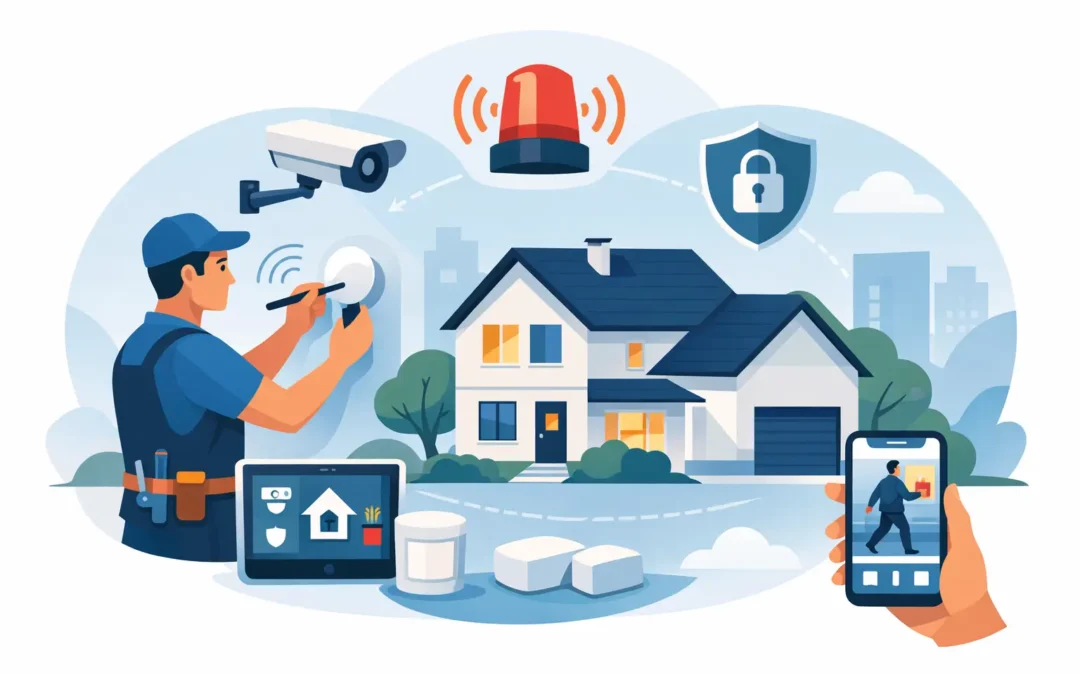
A good home alarm installation guide should save you from two expensive mistakes – buying the wrong setup and placing the right equipment in the wrong spots. Most alarm issues do not start with the hardware. They start with poor planning, rushed placement, or a system that looked simple until it was time to use it.
If you want better protection without turning your house into a technical project, the goal is straightforward. Cover the most likely entry points, make sure alerts are easy to understand, and choose a setup you will actually use every day. That sounds basic, but it is where many homeowners, renters, and small property owners get tripped up.
What a home alarm installation guide should help you decide
Before you think about tools, mounting tape, or app settings, you need to know what problem you are solving. Some homes need basic intrusion alerts at the front and back door. Others need broader coverage that includes first-floor windows, a garage entry, or a side door that stays out of sight from the street.
That is why installation is not just about attaching devices to walls. It is about matching coverage to your layout and daily routine. A small apartment on one level usually needs a simpler plan than a two-story home with multiple access points. A rental may limit drilling, while an owner-occupied home gives you more flexibility for permanent placement.
The best setup is often not the one with the most devices. It is the one that covers your real risks without creating extra maintenance or false alarms.
Start with your entry points, not the product box
Most break-ins happen through common access points, so begin there. Your front door, back door, first-floor windows, garage service door, and any sliding doors should be reviewed before you install anything. Walk around the property and ask a practical question: if someone wanted to get in quickly and quietly, where would they try first?
Door and window contact sensors are usually the foundation of a home alarm system. They are simple, reliable, and easy to understand. When the door or window opens, the system reacts. For many households, that covers a large share of the risk.
Motion sensors come next, but placement matters. A motion detector should watch a likely path of travel, such as a hallway, living room, or area between the main entry and the rest of the house. It should not be aimed carelessly at moving curtains, active HVAC vents, or a staircase where pets regularly pass.
Glass break sensors can help in rooms with large windows or sliding glass doors, but they are not always necessary in every room. If your budget is tight, it often makes more sense to secure the opening itself before adding specialized detection.
Choosing between DIY and professional installation
A lot of people start with DIY because the equipment is more accessible than ever. In many cases, that works well. Wireless sensors, app-based control, and peel-and-stick mounting make basic installation manageable for someone with little technical experience.
Still, DIY is not always the better choice. If your property has multiple floors, detached structures, dead zones in wireless coverage, or several entry paths, installation gets more complicated fast. The same is true if you want integration with cameras, smart locks, environmental sensors, or monitored service.
Professional installation can reduce setup mistakes and make the system easier to trust from day one. That matters because a security system only helps if everyone in the home knows how to arm it, disarm it, and respond to alerts without confusion. Companies like Simple Security Solutions build around that kind of clarity, which is often more valuable than extra features.
The trade-off is cost. DIY usually saves money upfront, while professional installation can save time and lower the chance of errors. If your layout is simple and your comfort level is decent, DIY may be enough. If you want cleaner coverage and less guesswork, professional help can be worth it.
Home alarm installation guide: where to place each device
The control panel or hub should be easy to reach but not obvious from outside. Near the main entry is common, since that is where people arm and disarm the system. Just avoid placing it in plain view through a window.
Door contacts belong on doors that are actually used or could realistically be used for entry. That includes the front door, rear door, garage entry door, and side doors. If you have a door that is rarely opened, a sensor there can still be valuable because it may be overlooked by the person trying to get in.
Window sensors make the most sense on ground-floor windows, windows hidden by fences or shrubs, and windows near a deck, porch roof, or AC unit that could help someone climb up. In a second-story bedroom with limited access, the urgency may be lower.
Motion sensors usually work best in corners with a broad view of a room or hallway. Follow the manufacturer height recommendations. Too low and coverage drops. Too high and the detection pattern may miss the path you care about.
If you are using security cameras alongside the alarm, avoid treating them as a replacement for sensors. Cameras help confirm what happened. Sensors help trigger fast alerts. Those are different jobs, and both can matter.
Common installation mistakes that cause problems later
The most common mistake is overconfidence. People place sensors quickly, test once, and assume everything is fine. Then weeks later they realize a window was never paired correctly, a motion sensor catches the family dog, or app notifications were sent to an old phone.
Another issue is poor spacing and weak signal strength. Wireless systems are convenient, but convenience does not erase the limits of your home layout. Brick walls, metal doors, long distances, and detached garages can all affect device communication. Testing should happen after placement, not just during initial setup near the hub.
False alarms are another avoidable problem. Sensors near heat sources, loose mounting, unstable door frames, and rushed sensitivity settings can all lead to alerts that train people to ignore the system. Once that happens, your alarm becomes background noise instead of real protection.
It is also easy to forget the human side of installation. If the keypad code is hard to remember, if the app sends too many unnecessary notices, or if family members do not know the entry delay, daily use starts to break down.
How to test your system after installation
Once the equipment is mounted, test each sensor one by one. Open every protected door and window. Walk through each motion zone. Trigger camera recordings if they are part of the setup. Confirm that the app, keypad, and any monitoring service all register the event correctly.
Then test the system the way you will actually use it. Arm it when leaving through the main door. Disarm it while entering with groceries, kids, or bags in hand. If you have a night mode, test that too. Real-life use often reveals problems that a basic technical test misses.
You should also check alert timing. A delay that is too short creates frustration. A delay that is too long weakens protection. The right balance depends on your home, your routines, and whether multiple people need access.
When a simple system is enough
Not every property needs a layered security plan with every available sensor type. For many homes, a dependable basic system is enough: door contacts on main entries, a few window sensors in vulnerable areas, one or two motion detectors, and clear mobile alerts.
Adding more devices can improve coverage, but it can also add battery changes, notification clutter, and setup complexity. If you are choosing between a smaller system you will maintain properly and a larger one you may ignore, the smaller system is often the smarter option.
That is especially true for renters, smaller homes, and people who want straightforward protection without a major commitment. Security should fit your life. If it becomes too complicated, people stop using it correctly.
A better alarm setup is usually a simpler one
A reliable alarm system is less about having every feature and more about having the right coverage in the right places. If your doors are protected, your key windows are covered, your motion sensors watch real travel paths, and your alerts are easy to manage, you are already in a much stronger position than someone who bought a bigger system and never set it up properly.
Take your time with placement, test everything twice, and build around your actual routine. The best security setup is the one that feels clear, dependable, and easy to live with every day.