

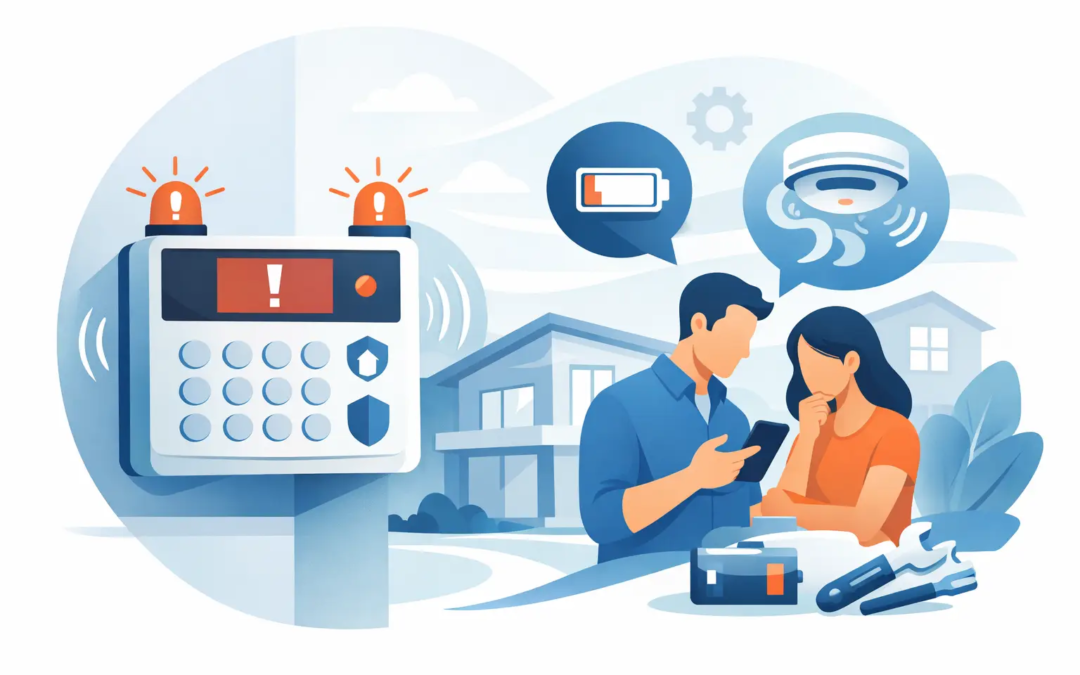
A home alarm that starts beeping at 2 a.m. can make anyone worry that something is wrong. The good news is that when people ask, “why is home alarm beeping,” the answer is often a routine maintenance issue, not an active break-in. A low battery, open door, power interruption, or communication problem can all trigger an alert.
The key is to respond calmly. Check for an immediate safety concern first, then use the alarm panel or app to identify the message behind the sound. A few minutes of attention can often stop the noise and keep a small issue from becoming a security gap.
Start by checking whether there is an emergency
Before troubleshooting the equipment, look for signs that the alarm may be responding to a real event. Check that exterior doors and accessible windows are secure. If your system reports smoke, carbon monoxide, glass breakage, or a motion alert in an area that should be empty, treat it seriously.
Leave the property and contact emergency services if you smell smoke, see signs of fire, feel unwell from possible carbon monoxide exposure, or believe someone may be inside. Do not silence a life-safety alarm simply because the beeping is inconvenient.
If the home is secure and the panel displays a trouble, low battery, or communication message, you can move on to the more common causes below.
Why is home alarm beeping when no one is breaking in?
Most repeated chirps or intermittent beeps come from the system reporting a condition that needs attention. The exact meaning depends on the manufacturer and system setup, but the display message, indicator lights, and pattern of the sound usually provide useful clues.
A backup battery needs to be replaced
This is one of the most common reasons for a beeping alarm panel. Most hardwired security systems have a rechargeable backup battery inside the control panel. It keeps the system operating during a power outage, but batteries wear out over time.
A low battery warning may produce a chirp every few minutes or hours. Replacing the battery with the correct type often resolves the problem, although some systems need time to recharge and clear the message. If the warning stays on after replacement, the panel may need a reset or professional service.
Individual wireless door, window, motion, and glass-break sensors also use batteries. If the panel identifies a specific zone or device, replace that sensor’s battery rather than assuming the main panel battery is the issue.
A door or window is open, loose, or misaligned
Alarm sensors work by recognizing when two parts of a contact are close together. On a door or window, one piece is mounted on the frame and the other on the moving surface. If the door is open, not fully latched, or has shifted slightly over time, the system may see that zone as open.
Walk through the property and firmly close every protected door and window. Pay special attention to rarely used windows, basement doors, sliding doors, and garage entry doors. A damaged sensor, loose magnet, or new weatherstripping can also create a gap large enough to trigger a trouble message.
Do not tape a sensor closed or bypass a zone as a permanent fix. That may stop the alert, but it also leaves part of the property unprotected.
The system lost AC power
A power outage, tripped breaker, unplugged transformer, or damaged outlet can cause an alarm system to beep. Even when lights and appliances appear to be working, the dedicated outlet that powers the security panel may have lost power.
Check whether there was a recent outage and look at the home’s electrical panel for a tripped breaker. Avoid unplugging alarm equipment to stop the sound. Doing so can drain the backup battery and create additional trouble notifications.
If the power is restored but the panel continues to report AC loss, the transformer, wiring, or panel may need service.
The system cannot communicate with the monitoring center
Monitored alarms use a phone line, cellular signal, internet connection, or combination of these methods to communicate. A beeping panel may be reporting that it cannot reach the monitoring center.
Internet-based systems can show this message after a router change, Wi-Fi outage, password update, or extended internet interruption. Cellular systems can have signal or equipment issues. Older systems that rely on a landline may alert when the phone line is disconnected.
If you recently changed internet service or installed a new router, contact your security provider before changing settings at random. The system may need to be reconnected or reprogrammed to restore reliable monitoring.
A smoke or carbon monoxide detector needs attention
A chirping detector on the ceiling is different from a security panel beep. Smoke and carbon monoxide alarms often chirp when their batteries are low, when the unit is dirty, or when the detector has reached the end of its service life.
First, determine which device is making the sound. The chirp can echo through a hallway and make it difficult to locate. Check each detector, including units in bedrooms, basements, garages, and near utility areas.
Replace batteries only after confirming there is no active fire or carbon monoxide event. Many detectors should be replaced after about 10 years, though you should follow the date and instructions on the device itself. For carbon monoxide concerns, always prioritize safety over troubleshooting.
A sensor has been tampered with or damaged
Wireless sensors may beep through the panel when their cover is removed, they are knocked loose, or they lose communication. This can happen after moving furniture, cleaning, a home repair project, a hard door slam, or accidental damage.
Look for sensors that appear crooked, detached, or missing a cover. If a device is damaged, leave the area protected by other means until it can be repaired. A small sensor issue can matter more than it seems if it affects a primary entry point.
How to stop the beeping without creating a bigger problem
The safest approach is to read the panel message first. Many systems allow you to acknowledge a trouble alert by entering your user code or pressing a designated button. This may silence the beeping temporarily, but it does not correct the underlying issue.
Use the system manual or app to identify the specific trouble condition. If you do not have the manual, write down the exact message, error code, zone number, and beep pattern before calling for help. Those details make troubleshooting much faster.
Avoid these common shortcuts: removing the panel battery without understanding the system, disconnecting the transformer, permanently bypassing a sensor, or repeatedly resetting the panel. These actions can disable protection, cause new alerts, or interfere with monitoring.
When to call a security professional
Some alarm issues are simple homeowner fixes. Replacing an accessible sensor battery, closing an open window, or restoring power after an outage are usually manageable. Other problems deserve professional attention, especially when the panel reports a communication failure, tamper condition, recurring low battery warning, or unknown error code.
Call for service if the beeping returns after you address the displayed message, if a protected opening will not clear, or if you are unsure whether the system is still monitored. Small businesses and property managers should also act promptly when an alarm issue affects a shared entrance, storage area, or employee access point.
At Simple Security Solutions, we believe security should be understandable. A service professional can identify whether the issue is a battery, sensor, panel, power source, or monitoring connection and explain the repair in plain language.
A little maintenance prevents most alarm chirps
Test your security system on the schedule recommended by its manufacturer and monitoring provider. Replace batteries when the system reports they are low, keep sensors clean and securely mounted, and notify your provider before changing internet or phone service.
A beeping alarm is rarely something to ignore, but it does not have to become a stressful mystery. Read the message, rule out an emergency, correct the specific issue when it is safe to do so, and ask for help when the system is telling you something you cannot confidently fix.