

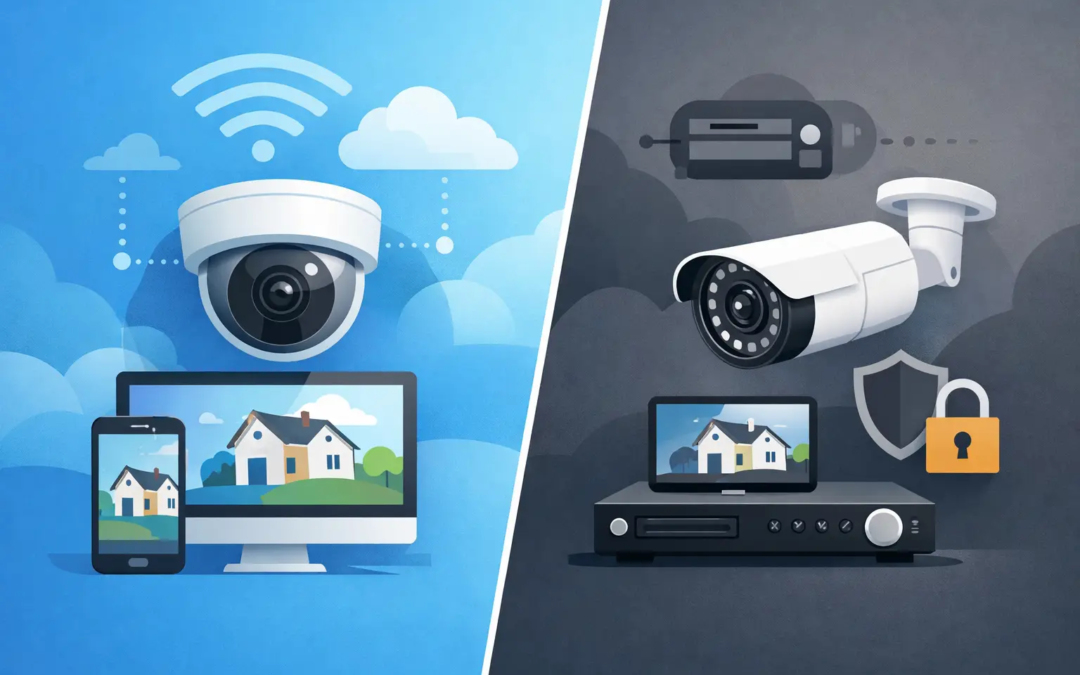
A storm knocks out your internet, your provider has an outage, or a Wi-Fi router simply needs to be restarted. In that moment, it is fair to ask: do cameras work without internet? For many homeowners and small business owners, the answer is yes, but only certain features will keep working.
A camera can still capture video without an internet connection if it has power and a place to save footage locally. What usually stops is remote access: live viewing from your phone, cloud recording, app alerts, and communication with a monitoring service. The exact result depends on the type of camera and how it is set up.
Do Cameras Work Without Internet? The Short Answer
Most security cameras do not need the internet to see, detect motion, or record to local storage. They do need power. A wired camera connected to a recorder can continue recording during an internet outage, while a Wi-Fi camera with a microSD card may continue saving clips to that card.
Internet service is what lets your camera send video somewhere else. It connects the camera to a mobile app, cloud storage, remote users, and often smart-home features. Without it, the camera may still be doing its job at the property, but you may not be able to check it from work, receive a motion notification, or review footage until the connection returns.
That difference matters. “Camera is on” and “camera is accessible from anywhere” are two separate things.
What Can Still Work During an Internet Outage
When a camera has local recording available, it can continue documenting activity around a home, storefront, office, or storage area. The camera detects motion, creates a video file, and saves it to equipment located at the property.
Local video recording
Local storage is the key feature for offline recording. Depending on the system, footage may be saved to a microSD card inside the camera, a digital video recorder (DVR), a network video recorder (NVR), or a local computer or hub.
A hardwired camera system connected to an NVR is often the strongest choice for continuous recording. The cameras and recorder communicate over cables on the property, so they do not rely on an outside internet connection to record. If the router loses service but the cameras, recorder, and power remain on, the system can keep capturing footage.
Wi-Fi cameras can also record without internet, but only if they support local storage and are configured to use it. Some lower-cost cameras are built mainly around cloud subscriptions. If they do not have a memory card or local recorder option, an internet outage may leave them unable to save new video.
Motion detection and local alarms
Many cameras can still sense motion without the internet because the detection happens inside the camera. Depending on the equipment, a local light, siren, or audible alarm may still activate as well.
This can be useful for deterring someone who approaches a side door, loading area, or driveway. Still, do not assume every camera keeps all of its smart detection features offline. Person, package, vehicle, and facial recognition settings sometimes require cloud processing or an active internet connection.
Viewing at the property
Some systems allow you to view cameras on a monitor connected directly to the recorder, even when internet service is down. This is common with DVR and NVR systems.
Wi-Fi cameras are less predictable. If the camera and phone are both connected to the same local Wi-Fi network, local viewing may be possible with certain models. If the router itself is not working, or the app depends on a cloud connection to find the camera, you may not be able to view live video until service is restored.
What Stops When Cameras Lose Internet
The most noticeable loss is remote access. You generally cannot open an app from another location and see what is happening at the property. A camera might be recording every minute, but the video stays on-site until the connection comes back.
Motion alerts also usually stop. The camera needs the internet to send a push notification to your phone or an email alert. If you depend on notifications to know when someone enters a business after hours or walks up to your front porch, an outage creates a real gap in convenience and awareness.
Cloud recording is another limitation. A camera cannot upload clips to cloud storage without internet service. If it has no local backup, it may not retain footage from the outage at all. Remote monitoring and professional video verification services may also be unavailable until the connection returns.
Which Camera Setups Work Best Offline?
The right setup depends on what you need the camera to do during an outage. These are the most common options:
- Wired cameras with an NVR or DVR: Usually the most dependable choice for ongoing local recording. They can keep recording as long as the cameras, recorder, and power are available.
- Wi-Fi cameras with microSD cards: Often a practical option for homes and smaller spaces. They may record locally during an outage, but remote viewing and alerts normally stop.
- Cloud-only Wi-Fi cameras: Convenient when the internet is stable, but they may not record during an outage unless they offer a local storage backup.
- Cellular security cameras: These use a cellular data plan instead of your home or business internet. They can be helpful at remote sites, but cellular coverage, plan limits, and monthly costs need to be considered.
For a small business with valuable inventory or a property manager responsible for several entry points, a recorder-based system is often worth considering. It gives you a local record of events even if the internet provider has a problem. For a renter or homeowner covering one door, driveway, or patio, a Wi-Fi camera with a properly installed memory card may offer a simpler fit.
Power Is a Separate Problem
Internet outages and power outages are not the same. A camera cannot record if it loses power, even if it has local storage. That is why a backup power supply can make a meaningful difference.
An uninterruptible power supply, often called a UPS, can keep a modem, router, NVR, and certain cameras running for a limited time. Runtime depends on the battery size and how much equipment is connected. It is not a replacement for a generator during a long outage, but it can cover short disruptions and give a system time to continue recording.
Battery-powered cameras are another option, but they have trade-offs. They typically record short motion clips rather than nonstop video, and frequent activity can drain the battery faster. They work well in places where running power is difficult, but they are not automatically the best choice for every location.
How to Prepare Your Security Cameras for an Outage
Start by checking where your footage goes. Open your camera settings or ask your security provider whether the system records to cloud storage, a memory card, an NVR, or more than one location. If there is a microSD card, make sure it is installed correctly and has enough storage space.
Next, test the system before you need it. Disconnect the internet connection briefly while keeping the camera powered on. Then create motion in the camera’s view and confirm that video is saved locally. After reconnecting, check whether you can find and play the recording. A five-minute test can uncover a setting that would otherwise remain unnoticed.
Also consider placement. Cameras covering entrances, cash areas, equipment, deliveries, and common access points provide more useful evidence than cameras aimed at wide, low-priority spaces. Good lighting, a clear view, and a protected mounting location matter just as much as internet features.
For business owners, make sure at least one trusted person knows how to access the local recorder. If an incident occurs during an outage, waiting for Wi-Fi to return should not be the only way to see what happened.
Choosing a Camera Based on What You Need
If your main goal is checking a camera from your phone while away, internet connectivity will remain central to your experience. Choose a system with reliable app access, clear alert settings, and a backup recording option if possible.
If your priority is preserving footage through service interruptions, focus on local storage first. Ask whether the camera records without internet, whether it can record continuously or only on motion, how long footage is retained, and how you retrieve it during an outage.
The best security setup is not the one with the longest feature list. It is the one that keeps protecting the areas that matter to you when everyday problems happen. A camera with local recording, dependable power, and a clear view of your property can give you useful evidence even when the internet is temporarily out.