

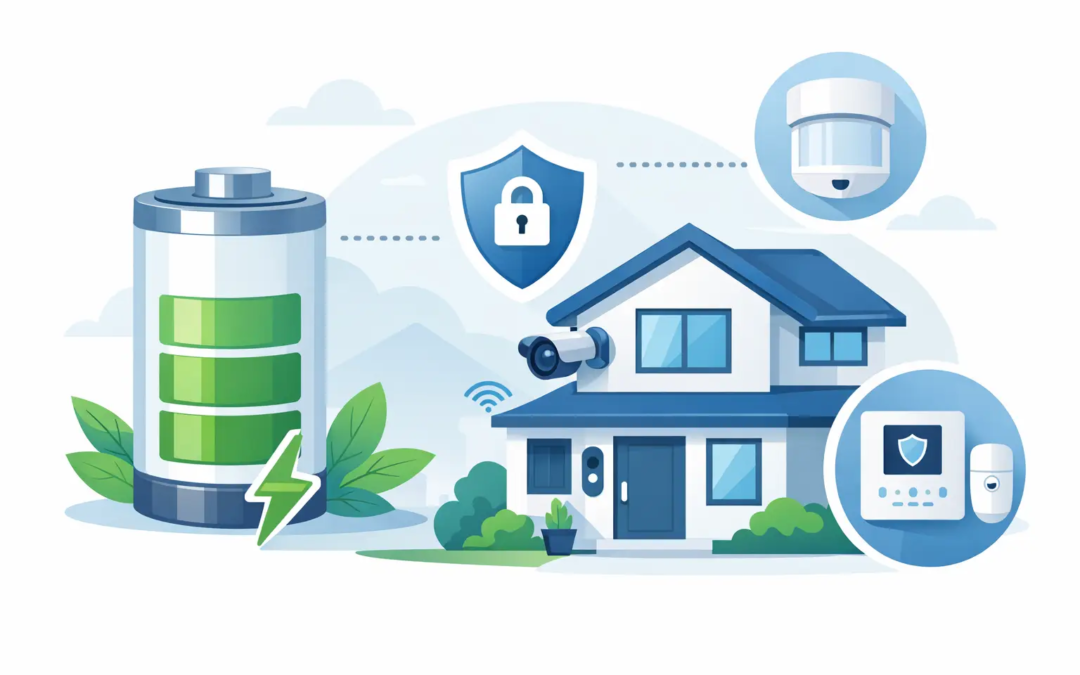
A low-battery alert often appears at the least convenient time: after you have gone to bed, while you are away, or when your business is closing for the day. Understanding how long security batteries last helps you handle that alert early, rather than finding out a sensor or backup system was not ready when you needed it.
The short answer is that most security batteries last anywhere from several months to several years. The right expectation depends on the device, the battery type, how often the system is used, and the conditions around it. A door sensor battery may run for years. A rechargeable wireless camera battery may need attention in a few months. The backup battery inside an alarm panel has a different job and a different replacement schedule.
How Long Security Batteries Last by Device
There is no single lifespan for every battery in a security system. Looking at the type of equipment you have is the easiest place to start.
Alarm panel backup batteries
Many hardwired alarm systems include a rechargeable backup battery in the main control panel. This battery keeps the system operating during a power outage. Under normal conditions, a sealed lead-acid backup battery typically lasts about three to five years.
Its useful life can be shorter if your property has frequent outages, electrical issues, or extreme heat. A backup battery may still look normal from the outside while holding less charge than it should. That is why a low-battery warning from the panel should be addressed instead of cleared and forgotten.
Wireless door, window, and motion sensors
Wireless sensors commonly use coin-cell, lithium, or small alkaline batteries. Many last two to five years, and some can last longer when the sensor has minimal activity and a strong connection to the control panel.
A busy entry door can use more power than a rarely opened window. Motion sensors in active areas may also need replacement sooner than sensors in a spare room or storage area. The good news is that most systems will notify you before the battery is completely depleted.
Wireless security cameras
Battery-powered cameras have the widest range of expected battery life. Depending on the model and settings, a charge may last from a few weeks to several months. Cameras that record frequently, use bright night vision, send many motion alerts, or are installed in high-traffic areas will need more frequent charging.
A camera pointed toward a quiet side yard may hold a charge much longer than one facing a driveway, sidewalk, or busy storefront. Battery cameras offer flexible placement, but they work best when someone is prepared to check charge levels and recharge them as needed.
Keypads, remotes, and panic buttons
Key fobs, wireless keypads, and panic buttons often run on small replaceable batteries. Their lifespan is usually one to three years, though heavy daily use can reduce that range. Because these devices are easy to overlook, it helps to replace the battery promptly when a low-power message appears.
What Makes Security Batteries Drain Faster?
Battery life is not only about the battery itself. The way a device is installed and used can make a real difference.
Temperature is a major factor. Batteries generally lose capacity faster in very hot or very cold conditions. A camera exposed to summer heat, a sensor in an unconditioned garage, or equipment near a drafty exterior door may not reach its expected lifespan.
Frequent activity also matters. A sensor that is triggered many times a day uses more power than one that rarely reports activity. For cameras, motion sensitivity, recording length, live viewing, two-way audio, and night vision can all increase battery use.
Signal strength is another common issue. A wireless device placed too far from the control panel, hub, or Wi-Fi connection may work harder to stay connected. That extra effort can shorten battery life and may lead to inconsistent performance. If a device repeatedly shows low battery sooner than expected, placement or connectivity may be part of the problem.
Battery quality matters as well. Use the battery type and brand recommended for your equipment whenever possible. A cheaper substitute may fit physically but provide less reliable power, especially in devices that depend on a specific voltage or chemistry.
Signs It Is Time to Replace a Battery
Your security system may give a clear low-battery alert through the keypad, mobile app, or monitoring notification. That is the most reliable sign. Still, there are other changes worth paying attention to.
A device that responds slowly, drops offline, stops reporting status, or gives repeated trouble messages may need a new battery. A camera that loses charge much faster than usual may need a recharge, a replacement battery, or an adjustment to its settings.
For an alarm panel backup battery, be alert for trouble beeps after an outage, a persistent battery warning, or a system that does not stay powered when electricity is interrupted. If you notice swelling, leakage, corrosion, or unusual heat around any battery, do not continue using it. Follow the equipment instructions and contact a qualified security professional if you are unsure how to proceed.
A Simple Battery Maintenance Routine
You do not need a complicated maintenance plan to keep security batteries under control. A quick check twice a year is enough for many homes and small businesses. Choose easy dates to remember, such as when daylight saving time begins and ends, or at the start of spring and fall.
During that check, review the system app or keypad for warnings, test a few key sensors, and look at camera charge levels. Confirm that no device has been knocked loose or moved farther from its hub. For battery-powered cameras, review motion settings if the charge has been draining faster than expected.
Keep the correct replacement batteries on hand for your most important devices. This can save a late-night trip to the store when a low-battery alert appears. Write down the battery type used by each device, or keep the information with your system paperwork.
If your system has an alarm panel backup battery, note when it was installed. Once it reaches the three-year mark, it is reasonable to watch it more closely and plan for replacement rather than waiting for it to fail during an outage.
When a New Battery Is Not the Real Fix
Replacing a battery is often simple, but it does not solve every device problem. If a new battery dies unusually fast, the device could have a weak signal, a software issue, a worn charging cable, or a placement problem. Cameras near constant traffic may simply need more frequent charging or a different power option.
For renters, it is also wise to check with the property owner or management team before opening an installed alarm panel. Small business owners should avoid putting off battery warnings in areas that protect inventory, employee entrances, or customer-facing spaces. A small maintenance task can prevent a larger gap in coverage.
Security batteries are easy to forget because they work quietly in the background. Treating low-battery alerts as a routine service item helps keep your system ready for the moments when dependable protection matters most.