

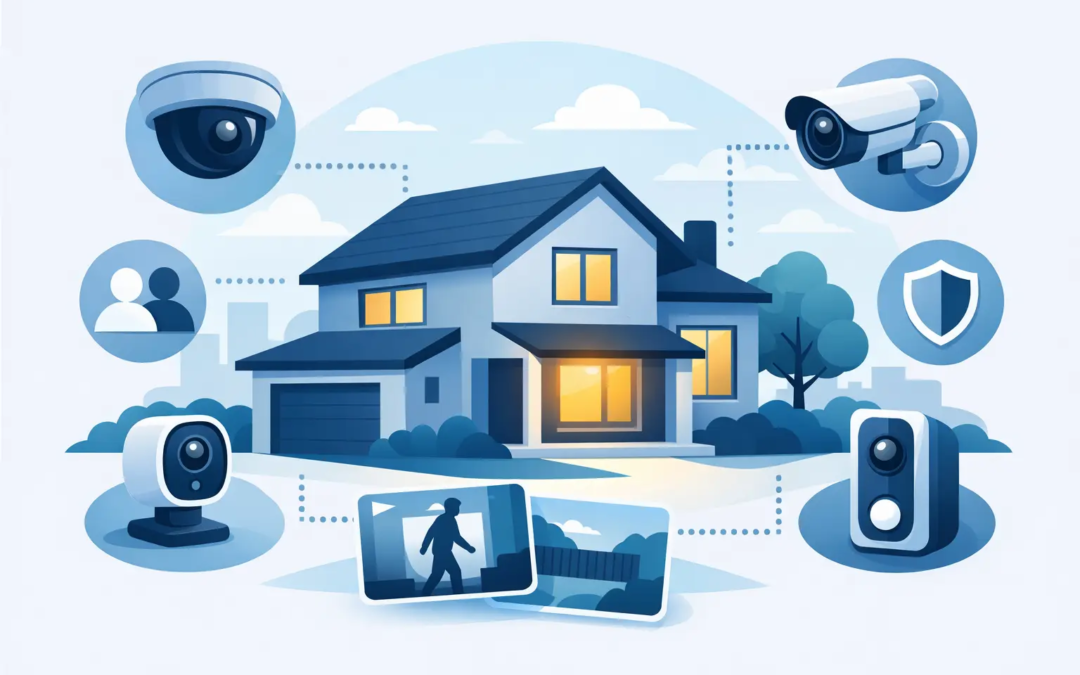
A single camera at the front door may help identify a visitor, but it will not show what happens at the side gate, garage, or back patio. So, how many cameras does a home need? For most households, the answer is not a fixed number. It depends on your home’s layout, the entrances you use, the areas that are hard to see, and what would give you the most peace of mind.
The goal is not to put a camera on every corner of the house. It is to cover the places where someone could approach, enter, or leave without being noticed. A well-planned system with three or four cameras is often more useful than a larger system with poor placement.
How Many Cameras Does a Home Need? Start With Entry Points
Most homes need coverage at their primary entry points before anything else. That usually means the front door, the driveway or garage, and the backyard or rear entrance. These locations provide the best view of activity around the property and cover the areas most likely to be used by visitors, delivery drivers, contractors, and potential intruders.
For a small apartment or condo, one video doorbell and one camera covering the main parking or hallway area may be enough. A townhome often benefits from two or three cameras: one at the front, one at the rear, and possibly one watching a garage or shared driveway.
A typical single-family home often needs three to five cameras. That count can cover the front door, driveway, back door, backyard, and a side entrance. Larger homes, corner lots, detached garages, pools, workshops, or long driveways may call for more coverage.
The number matters less than whether each camera has a clear purpose. If a camera cannot identify a person approaching an entrance or show activity in a valuable area, it may not be adding much protection.
A Practical Camera Count by Home Type
There is no one-size-fits-all package, but these ranges give homeowners a useful starting point.
A small apartment, condo, or rental unit may only need one or two cameras. A doorbell camera can document visitors and packages, while a second camera can cover a patio, balcony, parking space, or rear entrance if permitted by the property owner or association.
A small home with a front door, back door, and driveway often works well with three cameras. One covers the front entry, one faces the driveway or garage, and one protects the backyard or rear entry. This setup handles the most common blind spots without creating unnecessary complexity.
For a medium-size home, four to five cameras is often a sensible range. Along with the front door, driveway, and backyard, you may add coverage for a side gate, detached garage, or a second exterior door that is used regularly.
Large homes and properties with multiple structures may need six or more cameras. The right approach is still simple: protect entrances, monitor access routes, and cover areas where equipment, vehicles, or valuables are kept. Do not add cameras just because there is open wall space.
Focus on What a Camera Can Actually See
A camera’s location matters more than its label. A front-door camera mounted too high may show the top of a hat but not a face. A driveway camera pointed too wide may capture plenty of sky and street, but miss a license plate or person walking toward the garage.
When planning coverage, walk around your home as if you were arriving for the first time. Notice which paths lead to doors, gates, windows, sheds, and outdoor storage. Then look for places where a person could move from the street to the home without being visible.
These four areas are usually the best priorities:
- Front entry: This is the most common point for visitors, deliveries, and unexpected activity.
- Driveway and garage: Vehicles, tools, and garage doors are frequent targets and deserve a clear view.
- Back door and backyard: Rear areas often have less natural visibility from the street or neighbors.
- Side gates or secondary doors: These routes can be easy to overlook, especially on narrow lots.
Windows are a common concern, but a camera does not need to point at every window. Covering the approach to a group of windows or the side yard leading to them is usually more effective than trying to monitor each one individually.
Consider Your Property’s Blind Spots
Blind spots are not always obvious from inside the house. A tall fence, thick landscaping, parked vehicle, or porch overhang can block the view of a camera. Seasonal changes matter too. A camera that sees clearly in winter may be partly covered by leaves in summer.
Pay attention to places where packages are left, where children play, where pets go outside, and where you keep grills, lawn equipment, bicycles, or outdoor furniture. These are often the areas where homeowners want a clear record if something goes missing or is damaged.
Nighttime visibility should also be part of the decision. Check whether outdoor lighting reaches the driveway, side yard, and rear entrance. Cameras with night vision can help, but a well-lit area generally provides clearer video and makes the property less inviting to someone who wants to stay unnoticed.
Indoor Cameras: Useful, but More Personal
Outdoor cameras handle most home security needs. Indoor cameras can add another layer of awareness, especially if you want to monitor a main entry area, a pet, a caregiver, or a vacation home while you are away.
Still, indoor coverage comes with privacy considerations. Many homeowners prefer to keep cameras out of bedrooms, bathrooms, and other private spaces. If you have family members, roommates, guests, or household help, be clear about where cameras are used and why.
For many homes, one indoor camera facing a main hallway or common area is enough. It can confirm what happens after an exterior door opens without making the house feel over-monitored. Renters should also check lease rules before installing permanent equipment or cameras facing shared spaces.
Avoid Common Placement Mistakes
More cameras do not automatically mean better security. One common mistake is placing every camera high under the roofline. That position can protect the device from tampering, but it may make faces harder to recognize. A balanced mounting height gives the camera a useful view while keeping it reasonably protected.
Another mistake is aiming cameras directly into bright sunlight, headlights, or reflective windows. Glare can reduce image quality at the exact moment you need a clear view. Test the picture during the morning, afternoon, and after dark before treating an installation as finished.
It is also wise to avoid relying only on a doorbell camera. Doorbells are valuable, but they focus on one small area. A person can approach through a side yard, enter through a garage, or take something from the driveway without ever appearing at the front door.
Finally, think about the practical side of the system. Wireless cameras need dependable signal strength and regular battery attention if they are not hardwired. Wired systems can offer consistent power but may require more planning during installation. The best option is the one you will be able to use and maintain comfortably.
Build a System You Will Actually Use
A camera system should make daily life easier, not create another complicated task. Choose a setup with clear alerts, simple video access, and enough coverage to answer basic questions: Who came by? What happened near the garage? Did a package arrive? Is the backyard gate closed?
Start with the areas that matter most, then add cameras only when there is a real gap in coverage. You can always expand later if your needs change, such as adding a shed, buying a second vehicle, or spending more time away from home.
At Simple Security Solutions, the practical approach is to match camera coverage to your property instead of pushing a complicated package. A thoughtful walkthrough of your entry points, sightlines, and daily routines can turn a confusing question into a clear plan – and help you feel more confident every time you leave home.