

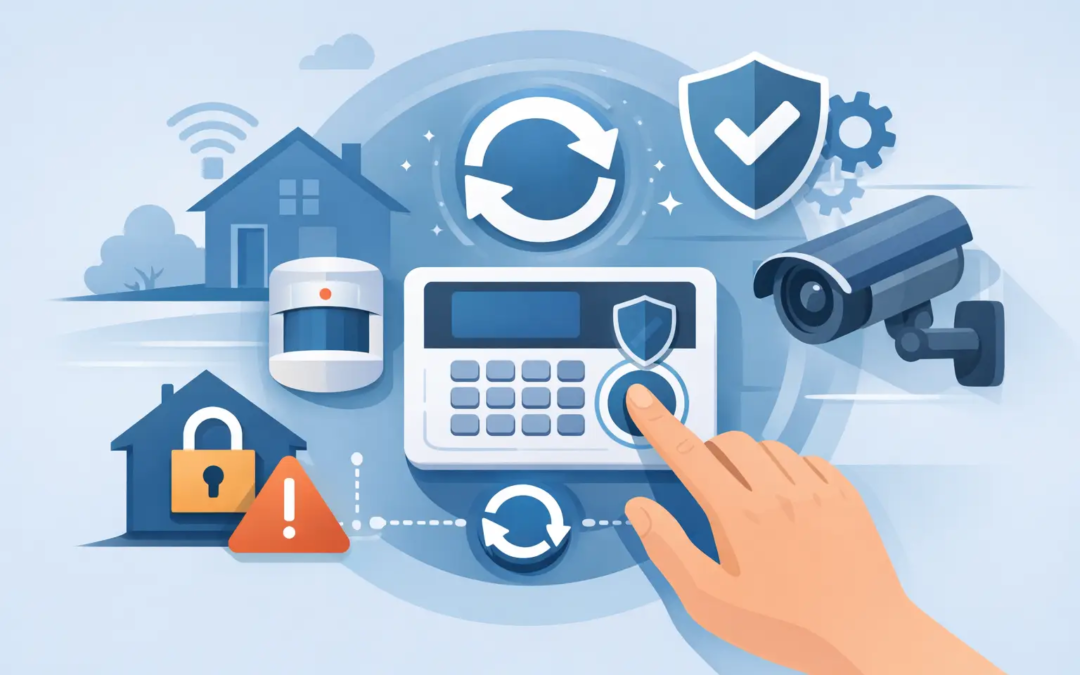
A security panel that will not stop beeping at 2 a.m. can make anyone want to pull the plug. Before you do, knowing how to reset home security system controls the right way can save you from erased settings, a false alarm, or an unexpected gap in protection.
A reset is often a simple fix for a keypad error, a brief power outage, a low-battery message, or a system that will not arm normally. But “reset” can mean different things depending on your equipment. A basic restart preserves your settings. A factory reset may remove them entirely and can require professional setup before the system works again.
Start by identifying the problem
The best reset depends on what the panel is telling you. Look at the keypad display, indicator lights, or mobile app before pressing any buttons. Write down the exact message if you can. Messages such as “low battery,” “loss of AC power,” “sensor open,” “communication trouble,” or “check zone” point to different fixes.
If the alarm is sounding, first make sure everyone is safe and that there is no real emergency. Disarm the system using your regular code. If you have professional monitoring, follow your provider’s instructions for canceling a false alarm. Do not assume that disconnecting power will stop a dispatch or cancel an alarm event.
A reset is useful when the system has frozen, is showing a temporary trouble condition after the underlying issue is fixed, or has not recovered after a short power interruption. It is not a cure for a damaged door sensor, a failing backup battery, poor cellular signal, or an unpaid monitoring account.
How to reset a home security system without losing settings
For most professionally installed and many DIY systems, begin with a standard power reset. This restarts the panel while keeping its programming in place.
First, disarm the system. Make sure all doors and windows are closed, and confirm that no protected area is still open. If your system is monitored, consider putting it into test mode through the app or by calling the monitoring center. This helps prevent a service call or false alarm while you work.
Next, use the panel’s normal reboot option if one is available. Many touchscreen systems have a restart command under Settings, System, or Advanced Settings. Use that option rather than cutting power whenever possible. It is the cleanest way to restart the panel.
If there is no restart option and the manufacturer’s instructions allow a power reset, unplug the panel’s AC transformer or disconnect its plug-in power supply. Then disconnect the backup battery inside the control panel. Wait about 60 seconds before reconnecting the battery first and AC power second. Give the panel several minutes to boot, reconnect to Wi-Fi or cellular service, and check its sensors.
Some systems have a separate keypad and control box, often located in a closet, utility room, basement, or garage. The visible keypad may not be the main panel. If you cannot find the control box or are unsure which wires and batteries belong to the security system, stop there and ask for help. Disconnecting the wrong equipment can create more problems than it solves.
After the restart, check each message
Once the system turns back on, do not arm it immediately. Read the display and make sure the date, time, network status, and sensor list look normal. If the trouble message returns, the reset worked as a restart but the original issue still needs attention.
For example, a low-battery warning often remains until you replace the battery in the panel or sensor. A “door open” alert will remain until that door is fully closed or its contact is realigned. A communication error may clear only after internet or cellular service returns.
Test the system after any reset. Arm it while you remain nearby, open a protected door or window only if your test procedure allows it, then disarm it promptly. For monitored systems, confirm that signals are reaching the monitoring center before relying on the system again.
When a factory reset makes sense
A factory reset returns certain equipment to its original setup state. This may erase Wi-Fi credentials, user codes, automation settings, sensor pairings, camera connections, and monitoring information. On some professionally installed systems, it can also leave the panel unable to communicate until it is reprogrammed.
Factory reset only when you are transferring ownership of an unmonitored DIY system, following manufacturer support instructions, or replacing a panel after being told the existing programming cannot be recovered. It should be a last step, not the first response to a beep or error message.
If you decide a factory reset is necessary, document your setup first. Take photos of panel screens, note sensor names and locations, save Wi-Fi details, and confirm you have the administrator code or account access needed to reconnect the system. Then follow the instructions specific to your panel model. Button combinations and reset pinholes vary widely, so guessing can trigger an alarm or put the panel into an unsupported mode.
For a monitored home or small business system, contact your provider before factory resetting. They can tell you whether the reset will affect monitoring, permits, cellular service, or installed devices. This is especially important in a rental, shared office, or property managed by someone else, where the equipment may not belong to you.
Common reset problems and what to do next
A system that stays offline after a reset may simply need time to reconnect. Check that your internet service is working and that the panel is within range of your Wi-Fi network. If the system uses cellular backup, signal recovery can also take a few minutes.
If the panel has no power, check the outlet and any nearby circuit breaker before assuming the system has failed. Avoid plugging the transformer into a switched outlet, power strip, or smart plug that can be turned off accidentally. If the panel runs only on battery power, replace the backup battery rather than repeatedly resetting it.
A sensor that remains offline usually needs a closer look. Check whether the sensor battery is installed correctly, whether a door or window contact is aligned, and whether the device has been moved. A reset will not fix a sensor that is physically damaged or too far from the panel.
Repeated false alarms deserve professional attention. The cause might be a loose sensor, a motion detector aimed at a heat source, a weak battery, or an entry delay that does not fit how people use the property. Resetting the panel may quiet the issue temporarily, but identifying the cause protects you from future disruptions and possible false alarm fees.
When to call for support instead of resetting
Call your security provider or a qualified technician when you do not know your master code, the system is monitored and cannot communicate, the panel reports tampering, wires are loose or damaged, or a factory reset is the only remaining option. You should also get help if the system will not arm after you have confirmed that every protected opening is closed.
For small businesses, it is wise to have an authorized contact handle resets and code changes. That keeps access controlled and avoids accidentally removing settings tied to employees, schedules, or monitored zones.
Simple Security Solutions believes security should be understandable, not a guessing game. A careful restart solves many everyday issues, but a persistent warning is the system doing its job by telling you something needs attention. Address the message behind the reset, test your protection afterward, and you can get back to the peace of mind your system is meant to provide.