

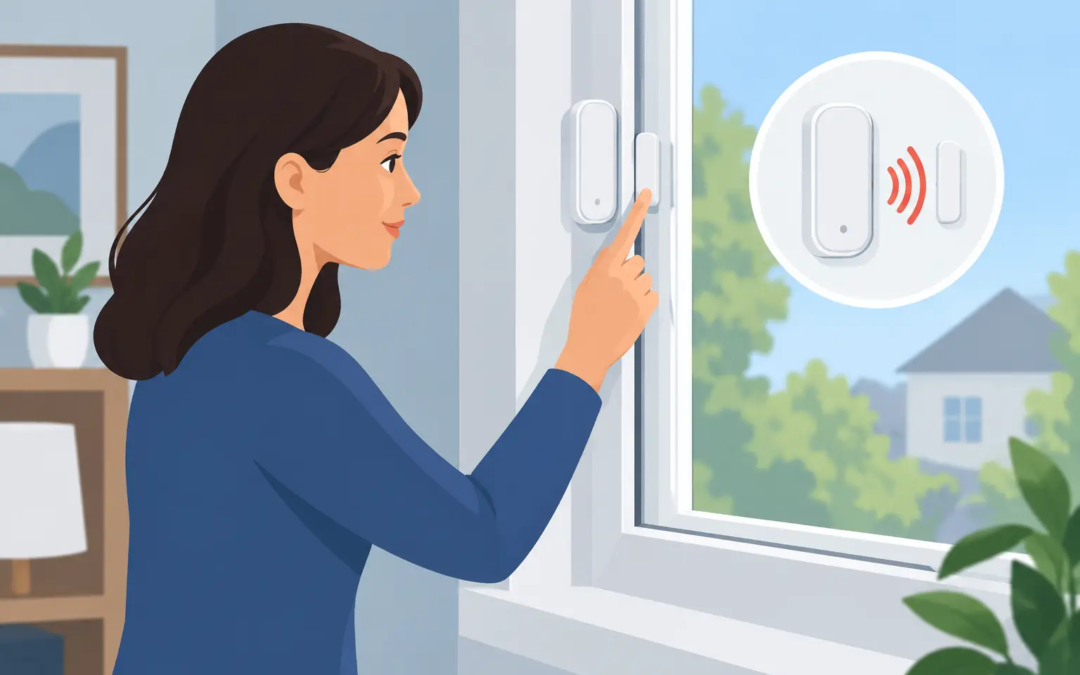
A window can look fully secured while a loose magnet, weak battery, or system setting keeps its alarm sensor from doing its job. Taking a few minutes to test window alarm sensors helps confirm that an opened window will trigger the response you expect, whether you are protecting a home, rental property, office, or storefront.
The good news is that most window sensor checks are simple. You do not need to understand every setting in your security system. You need a clear plan, a way to avoid accidental dispatch, and enough attention to catch a sensor that is no longer communicating properly.
Before You Test Window Alarm Sensors
Start by letting anyone who uses the property know you are testing the system. If your system is professionally monitored, place it in test mode through the provider’s app, customer support line, or monitoring portal before you begin. This step matters. It prevents a test from being treated as a real alarm event and gives the monitoring center a record that you are checking your equipment.
If you do not have professional monitoring, disarm the system and follow the instructions on your control panel or app for sensor testing. Many systems have a dedicated walk-test or device-test feature. That mode lets you verify that the panel receives a signal without sounding a full alarm siren.
Have your phone nearby if you receive security alerts through an app. It is useful to confirm both sides of the system: the panel recognizes the opening, and the app sends a notification. If you manage a small business, test alerts that go to more than one person so there are no surprises after hours.
Understand What the Sensor Is Checking
Most window alarm sensors use two small pieces: a contact sensor attached to the window frame and a magnet attached to the moving part of the window. When the window is closed, the two pieces sit close together. When the window opens and the magnet moves away, the system reads that change as an open window.
That simple design is dependable, but placement matters. A sensor can fail to register an opening if the magnet has shifted, the adhesive has loosened, or a window settles differently with changes in weather. Wired sensors can also be affected by damaged connections, while wireless sensors may need a new battery or may be too far from the control panel to communicate reliably.
Some properties also use glass-break sensors near windows. Those devices listen for the sound pattern of breaking glass rather than detecting an opened window. They should be tested according to the manufacturer’s instructions, usually with an approved test device. Do not try to test a glass-break sensor by striking or breaking glass.
A Simple Window Sensor Test
With the system in test mode or properly disarmed, start at one window and work through the property methodically. It helps to move room by room rather than opening windows at random. For a business, use a written checklist, especially if several employees are responsible for opening and closing the building.
First, check the physical condition of the sensor and magnet. They should be secure, aligned, and free of visible damage. On most models, the two pieces should be close together when the window is shut. If there is a large gap, or one component is crooked or hanging loose, make a note before testing.
Next, close the window completely and confirm that your panel or app shows it as closed. Then open the window several inches. The panel should show the correct zone or sensor as open within a few seconds. If your system is armed in a designated test setting, it may also beep, chirp, or provide an on-screen confirmation.
Close the window again and make sure the status returns to closed. This final check is easy to skip, but it can reveal a sensor that detects an opening but does not consistently recognize when the window is secured. Repeat the process once more if the result seems delayed or inconsistent.
For wireless sensors, watch for a low-battery message while you test. A battery can still have enough power to send an occasional signal but not enough for dependable day-to-day use. Replace low batteries with the type specified for your sensor, then test the window again after replacement.
Check the Alert, Not Just the Sensor
A working sensor is only part of the protection plan. You also want to know that the system communicates the event the way you expect.
If your system uses a mobile app, verify that the notification identifies the correct window. Generic labels such as “Zone 4” are less useful during a real concern than “Kitchen left window” or “Front office window.” Rename unclear zones when your system allows it. A clear name saves time when you are away from the property and need to decide whether an alert needs immediate attention.
If your system reports to a monitoring center, confirm that the test signal was received after you complete your checks. Depending on the provider, this may appear in the app or require a quick call. Do not assume a local panel sound means the monitoring signal went through.
This is also a good time to check your contact information, emergency contacts, and notification preferences. A perfectly working sensor cannot help much if alerts are going to an old phone number or former employee.
What to Do When a Window Sensor Fails
A sensor that shows open when the window is closed is one of the most common issues. Start with the basics: firmly close and lock the window, then look at the distance and alignment between the sensor and magnet. Temperature changes, worn window hardware, and normal building movement can create just enough separation to cause a false open status.
If the pieces are loose, reattach them securely according to the system instructions. Avoid moving a sensor too quickly without checking placement requirements, because some models need a specific orientation or maximum gap. For renters, ask the property manager before replacing adhesive-mounted equipment that belongs to the property.
For a wireless sensor that does not respond at all, replace the battery first if the model uses one. Make sure the battery is installed in the correct direction and the sensor cover is fully closed. If the device still does not appear on the panel, it may need to be reconnected to the system or checked for range problems.
A wired sensor that fails may have a damaged wire, a loose connection, or an issue at the control panel. That is usually a job for a qualified security technician. Avoid bypassing a sensor simply to clear a trouble message. Bypassing can leave a vulnerable window unprotected, and it is easy to forget that the bypass is still active later.
False alarms deserve attention, too. If one window repeatedly triggers when no one has opened it, note the time, weather conditions, and whether the window was locked. That information can help identify a shifting frame, poor alignment, or a failing device.
How Often Should You Test Window Sensors?
For most homes, testing window sensors every few months is a reasonable routine. Add a test after changing batteries, renovating around a window, replacing window hardware, moving a sensor, or returning from a long vacant period. A quick check before a vacation can also provide useful peace of mind.
Small businesses and properties with frequent staff turnover may benefit from monthly checks, particularly at entry-level windows or windows near valuable equipment. Test after any power outage, network change, or security system update that affects your panel, app, or monitoring connection.
Do not overlook windows that are rarely opened. Basement, storage-room, and back-office windows may be out of sight, but they can be the very sensors most likely to go untested for years.
Keep the Test Simple and Consistent
The best testing routine is one you will actually repeat. Pick a schedule, use the same room-by-room order, and write down any sensor that needs attention. If you are responsible for several units or a business location, keep a basic record of test dates, battery replacements, and service visits.
Simple Security Solutions believes security should be clear enough to manage without guesswork. If a sensor keeps showing the wrong status, drops offline, or creates repeated false alarms, it is worth getting help before it becomes a gap in your protection. A window sensor is a small device, but knowing it will respond when a window opens can make the whole system more dependable.