

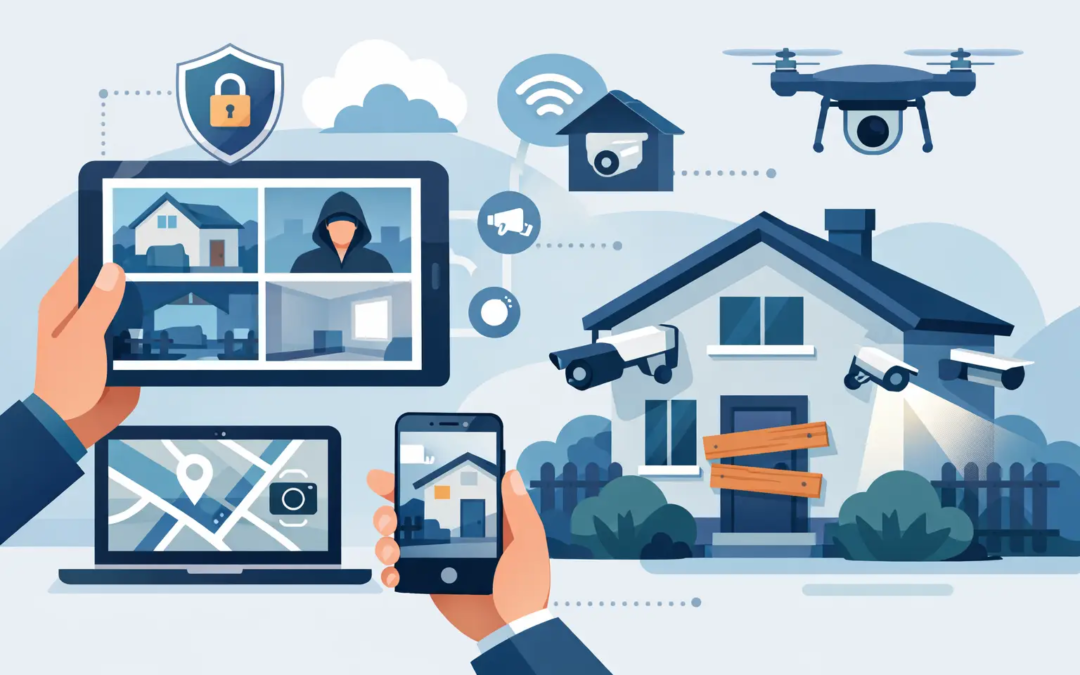
A vacant home, rental, storefront, or office can draw attention quickly when it looks unattended. Packages build up, lights never change, and a small maintenance problem can sit unnoticed for days. To secure a vacant property remotely, you need more than a camera pointed at the front door. You need clear access control, dependable alerts, regular checks, and a plan for responding when something needs attention.
The right setup depends on why the property is empty and for how long. A house left vacant during a two-week trip has different needs than a rental between tenants or a small business closed for renovation. Still, the goal is the same: make the property harder to enter, easier to monitor, and less likely to appear abandoned.
Start With the Property’s Basic Security
Remote monitoring works best when the physical property is already secure. Before adding cameras or alerts, walk through the building as if you were trying to find an easy way in. Check every exterior door, window, garage entry, gate, storage shed, and basement access point.
Replace damaged locks and make sure door frames, strike plates, and hinges are in good condition. A strong deadbolt does less good if the frame around it is weak. Sliding doors and accessible windows may need secondary locks or security bars, especially if they are out of view from the street.
If former tenants, employees, contractors, or house sitters may still have keys, rekeying the locks is usually the simplest choice. For properties with frequent service visits, smart locks can be useful because access codes can be changed without meeting someone at the property. They are not required for every building, but they can reduce the risk and hassle of spare keys.
Do not forget the non-obvious entry points. Secure ladders, lock outdoor equipment away, and trim shrubs that provide cover near doors or windows. For a small commercial property, review rear entrances, delivery doors, and utility rooms as carefully as the front door.
Build a Remote Security System You Will Actually Use
The best system is one you can understand at a glance and check without turning property monitoring into a second job. A practical remote setup often includes an intrusion alarm, exterior cameras, motion-activated lighting, and app-based alerts. The exact combination should match the property and your budget.
An alarm system provides a direct response to forced entry through protected doors, windows, or motion sensors. Cameras let you verify what is happening before assuming the worst. A camera alert might show a delivery driver, a neighbor checking the property, or a contractor arriving at a scheduled time. That context helps you make better decisions.
Place cameras where they serve a clear purpose. The front entry, driveway, rear door, garage, and any vulnerable side access are common priorities. Aim for useful coverage rather than trying to record every inch of the property. A camera positioned too high, too far away, or directly toward bright sunlight may produce footage that is difficult to use.
Reliable connectivity matters. Test the system from outside your home network, not just while standing inside the building. If internet service drops, understand which features continue working and whether the system sends an offline notification. Battery backup can keep key devices operating during a short power outage, but it is not a substitute for checking the property after a longer outage.
Choose Alerts Carefully
Too many notifications lead people to ignore them. Set alerts for events that genuinely need your attention, such as an alarm activation, an unlocked door, a camera detecting a person at a restricted entry, or a water sensor detecting a leak.
Motion alerts can be helpful, but they need sensible settings. Trees, passing cars, and animals can create repeated notifications. Adjust motion zones and sensitivity so your alerts are meaningful. It may take a few days of testing to get this right.
For a vacant property, environmental alerts deserve as much attention as intrusion alerts. Water leaks, freezing temperatures, smoke, carbon monoxide, and power loss can cause serious damage even when no one enters the building. A water sensor near a water heater, sink, washing machine connection, or other risk area is a small addition that can prevent a much larger repair.
Make the Property Look Cared For
Visible signs of routine activity can discourage unwanted attention. This does not mean making the property look occupied at all hours. It means avoiding the clear signals that no one has checked on it for a long time.
Put exterior and selected interior lights on timers or smart schedules. Varying the schedule slightly can look more natural than having one porch light turn on at exactly the same time every evening. Motion-activated lighting near entrances and walkways adds another layer of visibility without leaving lights on all night.
Keep mail, flyers, deliveries, and trash from piling up. Pause mail when appropriate, redirect packages, and ask a trusted person to remove anything left at the door. Arrange for lawn care, snow removal, or basic exterior upkeep if the vacancy will last more than a short time. A neglected exterior can also reveal opportunities for someone to approach unseen.
For commercial spaces, make sure signage, exterior lighting, and visible locks are maintained. A dark storefront with an overflowing mailbox can signal an easy target. At the same time, avoid putting a notice on the door that says the business is closed for an extended period.
Create a Real Response Plan Before You Need One
Remote security is only useful if you know what to do when an alert arrives. Decide in advance who can physically get to the property if needed. This might be a trusted neighbor, local family member, property manager, maintenance provider, or security professional.
Keep their contact information in one place along with the property address, gate codes, alarm details, and utility contacts. Let them know when they should call you first and when they should contact emergency services. If an alarm or camera suggests an active break-in, do not ask a neighbor to investigate. Contact local law enforcement and keep a safe distance from the situation.
Set rules for contractors as well. Use individual access codes when possible, limit access to scheduled times, and remove or change codes after work is complete. Ask for notice before arrival, then use camera footage or access logs to confirm the visit. This is not about treating every service provider with suspicion. It is about maintaining a clear record of who has access to an empty building.
Schedule In-Person Checks
No remote system completely replaces a person walking through the property. Cameras may not show a slow roof leak, a failing HVAC unit, pests in a utility area, or a window that has been damaged out of view. Regular visits also help confirm that lights, locks, sensors, and internet service are working as expected.
The frequency depends on the property, weather, local requirements, and insurance policy. A property in an area with freezing temperatures, storm risk, or frequent vacancies may need more frequent checks than a home closed briefly during mild weather. Some insurance policies have vacancy conditions that affect coverage after a certain number of days, so review your policy before leaving a property empty for an extended period.
During each visit, check doors and windows, look for water damage, test the alarm status, review exterior conditions, and confirm heating or cooling is set appropriately. Take a few photos for your records. A simple routine makes it easier to spot a change from one visit to the next.
Protect the Information Behind the System
A remote security system is connected to your accounts, so account security matters. Use a unique, strong password for the security app and enable two-factor authentication when available. Remove old users promptly, especially after a tenant moves out, an employee leaves, or a contractor finishes work.
Keep the system’s contact list current. If emergency notifications go to someone who no longer manages the property, valuable time can be lost. It is also wise to review permissions occasionally. A person who only needs to view a camera does not necessarily need the ability to disarm the alarm or change account settings.
Secure a Vacant Property Remotely Without Overcomplicating It
You do not need a complicated collection of devices to protect an empty property well. Start with secure doors and windows, then add reliable monitoring where it provides a clear benefit. Pair that technology with routine in-person checks and a trusted local response contact.
Simple Security Solutions believes security should give you useful information and a clear next step, not a screen full of confusing settings. When your property is empty, the most reassuring setup is one that lets you know what is happening, helps prevent problems, and gives you a practical plan when attention is needed.